
In development · coming soon
Learn electronics by building circuits that really work.
Ohmwork is a desktop workshop for Mac and Windows. Draw a circuit and watch it run with real voltages and real currents. Drop in an Arduino and it runs your own compiled sketch, pin by pin. Then follow lessons that check the circuit you actually built.
Run six free lessons in your browser What is in the workshop
No download, no sign-up, and nothing you build is sent anywhere.
- 64 lessons
- 5 courses
- 6 Arduino boards
In the full workshop: foundations, bench skills, how it works, projects and fault-finding — from your first LED to faults you cannot see.
The workshop
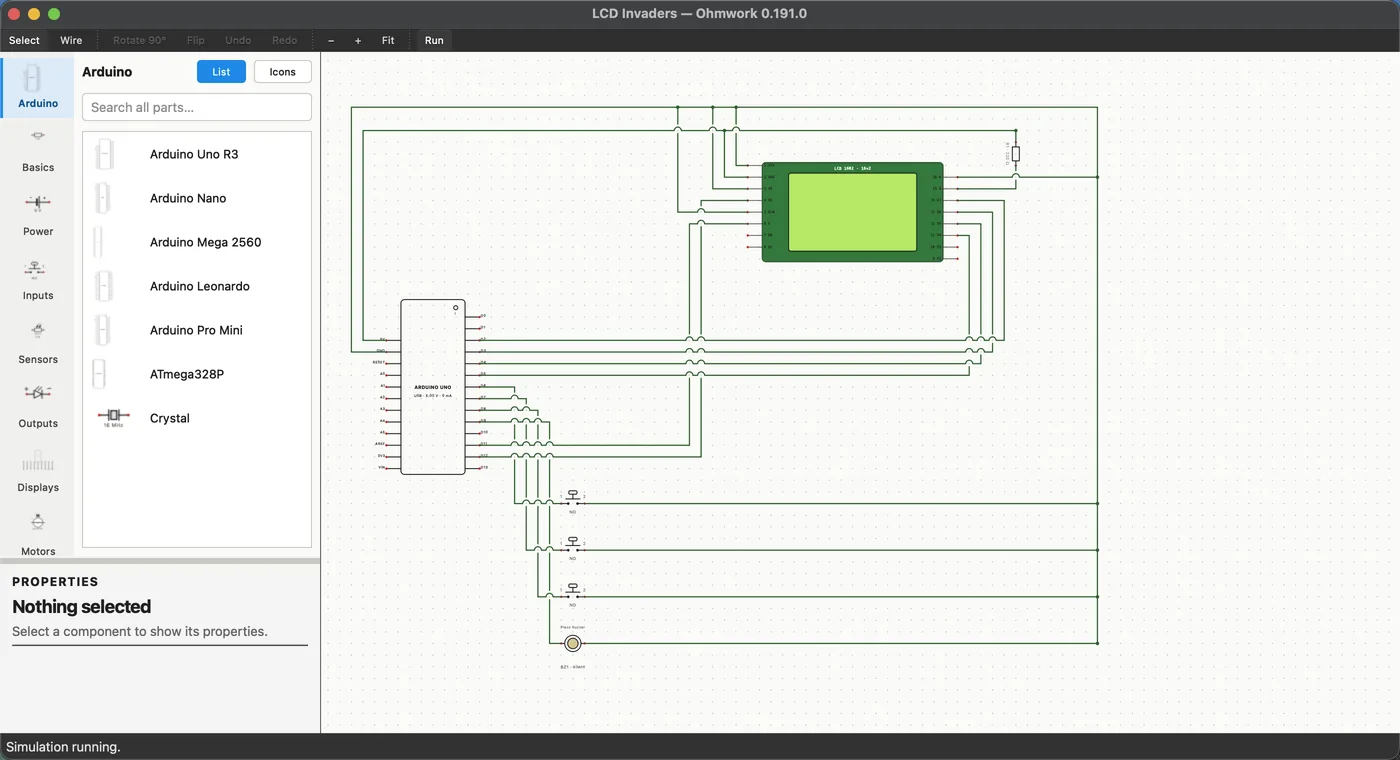
A schematic canvas that behaves like a bench. Every wire carries a solved voltage, every part draws the current it really would, and the meters and the oscilloscope read what the maths says. Nothing is faked to look right.
-
A real simulator. Every wire carries a solved voltage; the LED is bright because the maths says so. An LED with no resistor draws too much current, exactly as it would on the bench.
-
A real Arduino. Uno, Nano, Mega, Leonardo, Pro Mini or the bare ATmega328P. Your own code, compiled with the official toolchain, blinking and printing over a live serial monitor.
-
Instruments you can trust. A voltmeter, an ammeter and a triggered oscilloscope that show the waveform your sketch is really making, timer by timer.
-
Lessons that check your work. A built-in course from your first LED to fault-finding, with checks that measure your circuit and tell you in plain English what is wrong with it.
How a lesson works
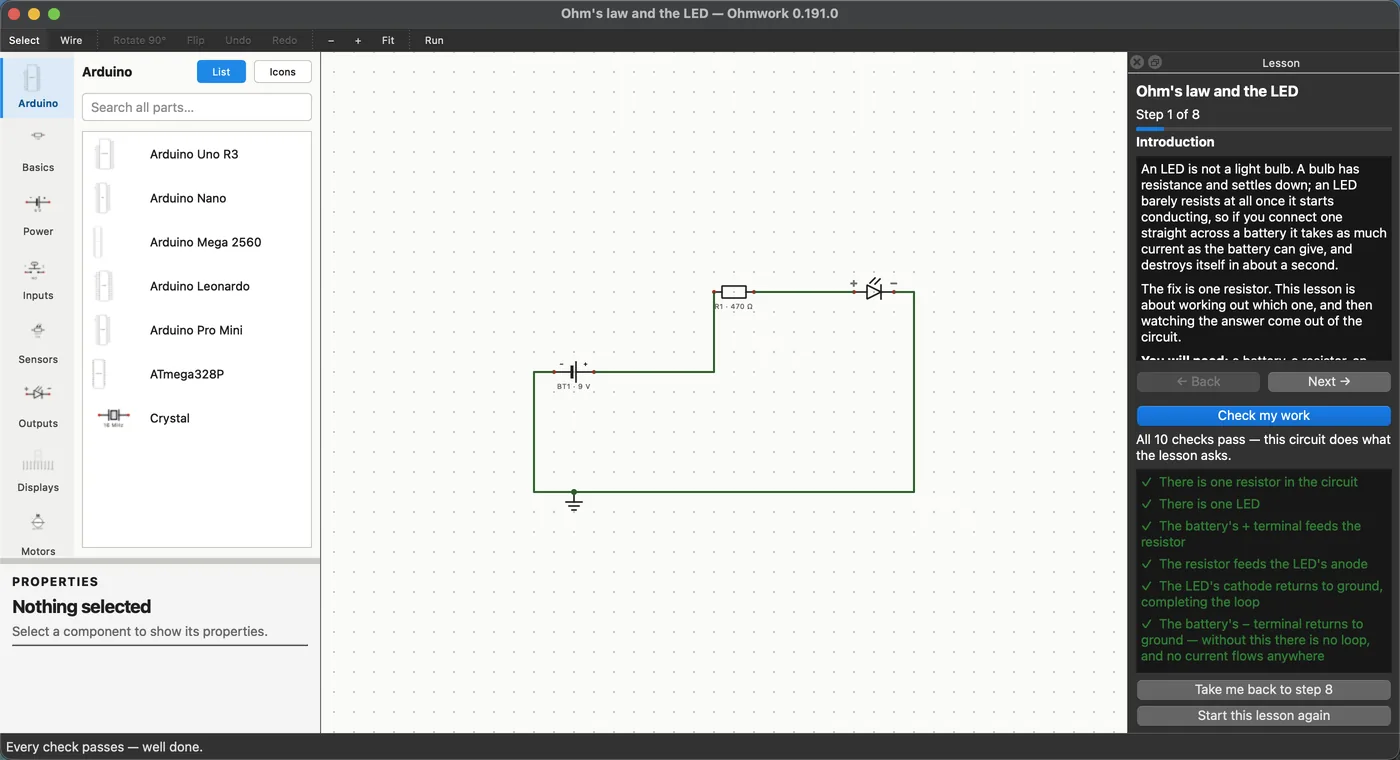
A lesson opens a starting circuit on the canvas and its steps in a panel beside it. You build, you run, you press Check my work. The checks read the circuit itself, not answers to a quiz.
-
Build
Follow the steps and wire the parts on the canvas. The panel explains the why as you go.
-
Run
Press Run and watch the current flow. Probe any wire, read the meter, see the LED come up.
-
Check
Check my work measures what you built: which part feeds which, where the loop is broken, what the meter should read.
Five courses, sixty-four lessons
In a sensible order from the basics upwards. Each course builds on the one before, and the fault-finding course is where it all pays off.
| No. | Course | Lessons | What it covers |
|---|---|---|---|
| 01 | Foundations | 6 | Your first LED, a button the Arduino can read, a knob it can measure, brightness without a dimmer, and finding out what your sketch is doing. |
| 02 | Bench skills | 8 | What the meter is for, measuring in circuit and out, reading a waveform, and the habits that stop you trusting a bad reading. |
| 03 | How it works | 20 | Circuit concepts, easiest first: dividers, pull-ups, capacitors, transistors, comparators and hysteresis, each one measured rather than told. |
| 04 | Projects | 19 | Things that do a job: a control panel, a thermometer, a servo dial, a motor driver, a game controller the computer believes, a lock that keeps its secret. |
| 05 | When it does not work | 11 | Fault-finding: the loop that is not a loop, the fault you cannot see, a repair budget, and three clinics on when not to believe the meter. |
While you wait — six lessons, free
The full Ohmwork is not released yet. Until it is, six of its lessons run free right here in your browser: the same solver, the same checks on your work, a fraction of the workshop. No download, no sign-up, and nothing you build is sent anywhere.
- Ohm's law and the LED
- Why that resistor is there
- What the meter is for
- How to find a fault
- The fault you cannot see
- In circuit, and out
Open the taster No download, no sign-up, and nothing you build is sent anywhere.
Hear about it first
- Ohmwork is on its way13 September 2026
Release list
Release news only, never more than monthly — unsubscribe with one click, any time.